Since digital customer portals became widespread, almost all tasks related to an electricity or gas contract with EDF can be handled online. Creating and activating an EDF account is quick, but certain situations—such as not having received a first bill or losing access to the email address used to sign up—can complicate the process right from the start.
EDF account locked without a bill: finding your customer number after recently signing up
Creating an EDF customer account requires one key identifier: your customer number. This number appears on every electricity or gas bill. The problem arises when you have just signed up for a contract and no bill has been issued yet.
In this case, your customer number is included in the welcome letter or email EDF sends shortly after you sign up. This confirmation message contains your contract details, customer number and a reminder of the plan you chose. Before contacting customer service, search your inbox (including your junk folder) for terms such as “welcome EDF” or “contract confirmation”.
If you still can’t find the message, call 3404 (free service, Monday to Saturday, 8 a.m. to 8 p.m.) to retrieve your customer number by providing your identity and the address of the property concerned. This is also what to do to create an EDF account online when the usual information isn’t enough to complete registration on the website.
Activating your EDF account: the email verification link and common pitfalls
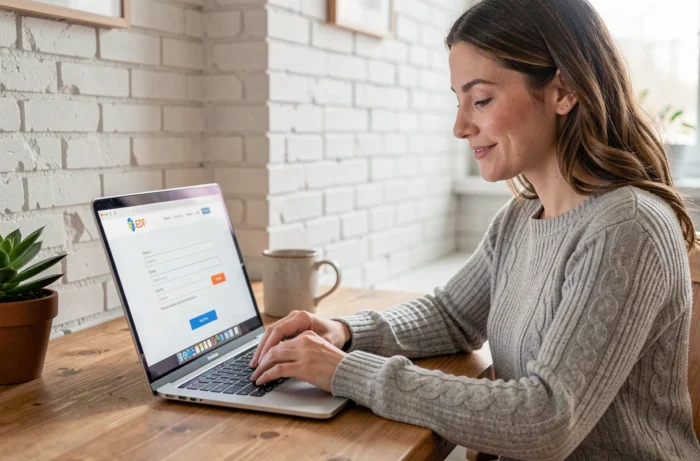
Creating an account on particulier.edf.fr takes just a few minutes. Enter your customer number, a valid email address and a password. EDF will then send a verification link to the address you provided.
Your account remains inactive until you click this link. When you try to sign in, the customer portal may display an error message, making it seem as though your login details are incorrect when the issue is simply that you haven’t completed verification.
Several issues can make this step more difficult:
- The verification message ends up in your spam or promotions folder, particularly with Gmail and Outlook. Check these folders before trying again.
- The email address entered when you signed up contains a typo. In this case, the link is sent to a nonexistent inbox or someone else’s account.
- You can no longer access the email address used when you signed up (an old work account, a full inbox or a discontinued email provider). You can’t reset your account without access to that address.
For the last two situations, the only reliable solution is to call 3404. After verifying your identity, an adviser can change the email address associated with your contract, allowing the verification process to be restarted with a new address.
EDF customer portal and Enedis account: a common mix-up when signing in for the first time
EDF is the energy supplier. Enedis manages the electricity distribution network. Each company has its own online customer portal, with separate login details.
Enedis login details won’t work on the EDF website, and vice versa. This mix-up mainly affects people who have created an Enedis account to track their consumption via their Linky meter and then try to sign in to the EDF portal using the same details. A rejected login doesn’t mean that your EDF account doesn’t exist or that your password is incorrect: the two systems are simply separate.
Similarly, EDF Particuliers and EDF Entreprises contracts use different portals. A rejected login may be due to choosing the wrong portal rather than a problem with your login details. Before resetting your password, make sure you’re on particulier.edf.fr if you have a residential contract.
Secure your EDF account from the start: password and two-factor authentication
The password you choose when creating your account protects access to sensitive information: bills, bank details (IBAN), your home address and consumption history. A weak password poses real risks, including fraudulent changes to your payment details.
Take these precautions as soon as you open your account:
- Choose a unique password that you don’t use for other services. The standard recommendation is a combination of at least twelve characters, including uppercase and lowercase letters, numbers and symbols.
- Make sure the email address linked to your account is also protected by a strong password, since it is used to reset your account.
- Enable two-factor authentication if the option is available, adding an extra verification step (a code by text message or through an app) each time you sign in.
These precautions also apply to the EDF & Moi app, available on iOS and Android, which provides access to the same features as the website: viewing bills, tracking energy consumption, updating personal information and managing your payment method.
What to check first after activating your EDF customer portal
Once your account is active, it’s worth checking a few things straight away rather than waiting until your next billing issue.
Make sure the billing address matches the property receiving the supply. With a new contract, the billing address and the supply address may differ if you signed up before moving in. This distinction directly affects where you receive mail and proof-of-address documents that you can download from the customer portal.
Also check the payment method on file. Direct debit is the most common option, but the IBAN provided when signing up by phone may contain an error. You can update it in just a few clicks in the payment information section.
Electricity and gas consumption tracking, based on data from your Linky meter if one is installed, becomes available within a few days. This is how long it takes for the first consumption data to appear in your customer portal. It won’t show up immediately on the day you activate your account.